|
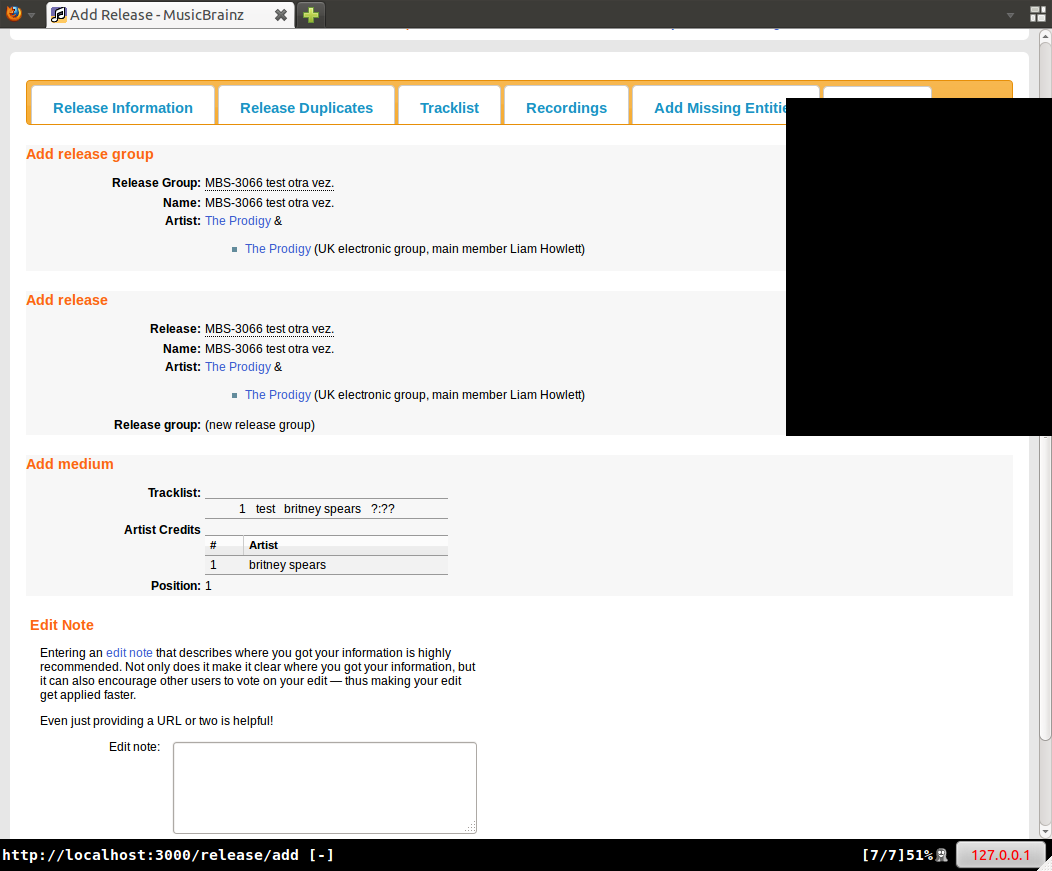
I just hit this problem, as I think did bgibbard in http://forums.musicbrainz.org/viewtopic.php?pid=14552 It's not to do with the checkbox or Various Artists specifically. The simplest way of replicating this step by step is: 1) Go to http://musicbrainz.org/release/8b05324a-5205-42c6-8016-8eab77e5bb76/edit Workaround I think this is major - it's a common use case and it allows broken edits to be entered into the DB. If you've added more than 1 artist to the artist credit, only the last one will be lost. When i did it with more than 2 artists it still only showed the first one. But I guess academic if Kuno thinks it is fixed now merged into master in commit commit 29374e81df1ed2420386ba143ddc1d475dbb6fd3 . Was seeing this too; good to see it fixed today. Spoke too soon, the current version is worse. It appears to be correct in the edit screen, but in the edit history (http://musicbrainz.org/release/98f4c2ff-1bd9-4dcb-81d4-467996b1d3b2/edits Still present in edit history: http://musicbrainz.org/release/98f4c2ff-1bd9-4dcb-81d4-467996b1d3b2/edits Specifically http://musicbrainz.org/edit/14896153 I'm guessing fixed in master, commit d6b9c4832d1b0b5e9b1d75f00439047edc1033a1 . Also pushed to production just now. This is back. It does work in the tracklist tab now though, which makes it less serious, but still annoying. Steps to reproduce this on the current production branch / server: 1. open http://localhost:3000/release/add fixed in master, commit 08ea2c657aa7e776051c26fe554fda7376bed726 |
|||||||||||||||||||||||||||||||||||||||||||||||||||||||||||||||
Actually, after dealing with this a bit more, it might not be the VA Release Box causing it, because the bug still occurs if I uncheck the box first. What I'm seeing is this:
1) Start with a release that you want to change from Various Artists to a split release between two artists. Tracks on the release should already be credited to one artist or the other.
2) Add the Artists using the Artist Credits field as usual, the click Next to go to the tracklist page.
3) Click on the "credits" link for one of the tracks. RESULT: The credits already have two spaces; the artist previously credited is in the top space and the bottom space is empty.
4) Delete the unused space in the credits for each track, then proceed to the final page. RESULT: the bug described above – only the first artist and join phrase is shown.
WORKAROUND: After step 3, go back to the first panel, Release Info. In the Album Artist panel, relink the two artists (so their backgrounds turn green again), then save the edit.